Draw To Smash - Draw Puzzle
HYPERCELLArcade
4.71.21K Reviews
- Version
- 1.33.0
- Installs
- 50.00M
- Age Rating
- Everyone
Screenshots
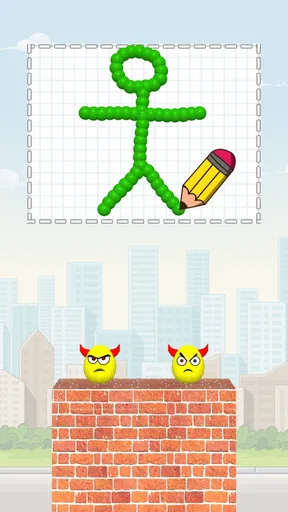
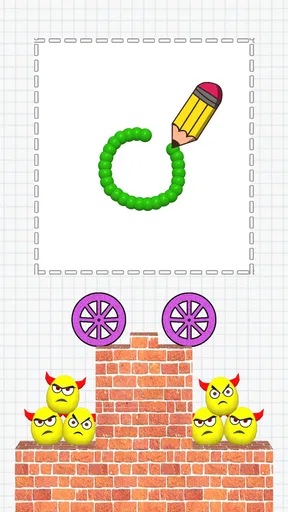
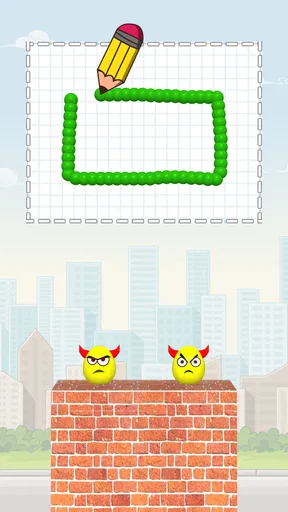
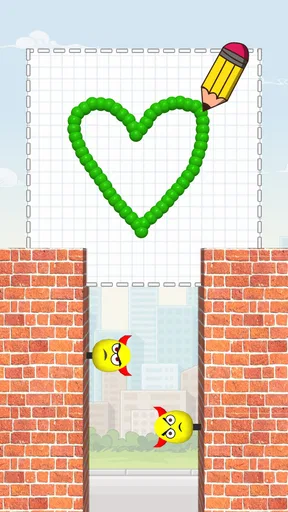
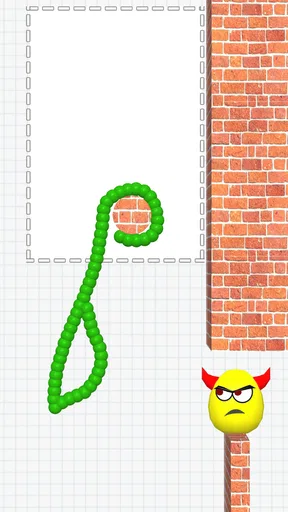
Our Review of Draw To Smash - Draw Puzzle
 Analysis by Appyee
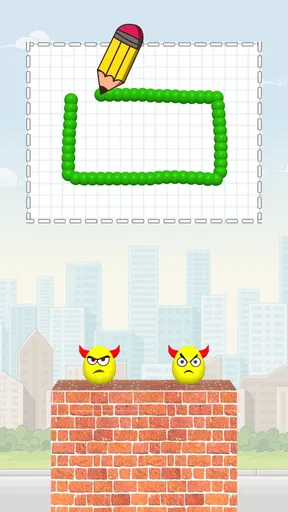
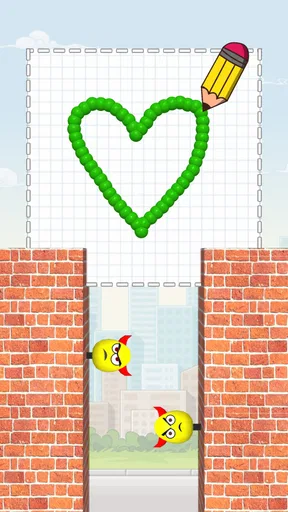
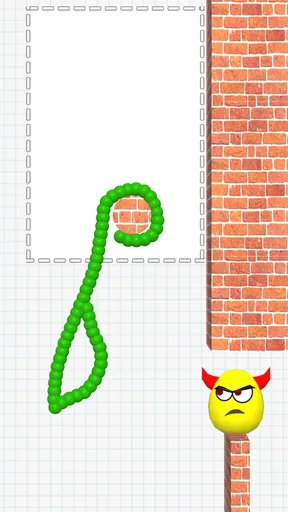
I enjoy puzzle games that explain themselves in seconds but still make me pause before every move. Draw To Smash fits that mood well. It is an arcade game from HYPERCELL in which I draw lines and shapes to solve physics-based situations and break obstacles. The basic idea is wonderfully direct: look at the arrangement, predict what my drawing will do, then commit and see whether the result works.
That simplicity is also the reason it is easy to underestimate. The first few challenges feel almost like quick doodling, but later attempts demand better timing, cleaner shapes, and a willingness to study what happened instead of immediately repeating the same gesture. I found it especially comfortable for short sessions because a single puzzle can be approached without setting aside a long block of time.
The game is free and rated for Everyone, which makes it accessible for casual players and families. It has a 4.7 average from around 207 thousand ratings, and more than 50 million people have installed it. Those figures suggest broad appeal, but they do not remove the central question: will its particular kind of drawing puzzle suit the way you like to play?
Where players usually get stuck
The main difficulty is not learning how to draw. It is learning to draw with purpose. A long line may look powerful, but it can also create the wrong angle, block the movement you need, or fail to guide an obstacle where you expected. I quickly stopped treating the screen as a blank canvas and started reading it as a small physical scene with limited space and several possible reactions.
When a solution fails, the most useful question is not “What should I draw next?” but “Which part of my drawing caused the failure?” Sometimes the first stroke is fine and the problem is the second stroke. Sometimes the shape succeeds at the beginning but produces a poor final position. Looking at the entire sequence helps avoid random trial and error.
A practical habit is to begin with the smallest useful mark. If a short barrier can redirect the movement, there is little value in covering half the screen. Smaller drawings are easier to understand, easier to adjust, and less likely to introduce an accidental collision. This is one of the first non-obvious lessons I took from the game: restraint often works better than artistic ambition.
Players can also get stuck by drawing too quickly. A rushed finger movement may turn a planned corner into a curve or leave a gap where the line needed to connect. On a small phone screen, that difference matters. I found it better to pause, place my finger deliberately, and make one controlled gesture rather than scribble several corrections immediately.
The physics create another source of uncertainty. A drawing can behave differently from what I imagine because its position, angle, and relationship to nearby objects all matter. This is not a flaw in the concept; it is the core challenge. Still, people who prefer exact, turn-based logic puzzles may find the physical reactions less predictable than they want.
Reading a failed attempt instead of wasting it
Every unsuccessful attempt can reveal something useful. If an object barely moves, the force or angle was probably insufficient. If it moves too far, the drawing may have redirected it too aggressively. If the result looks correct until the final moment, the issue may be the order in which the drawn elements interact rather than the overall idea.
I recommend changing only one thing between attempts. Move a line slightly, shorten it, or alter its angle, then compare the result. Changing everything at once makes it impossible to know what helped. This method turns the game into a small experiment and is much more satisfying than repeatedly drawing unrelated shapes.
There is also a useful distinction between a clever solution and a reliable solution. A complicated drawing may succeed once because several movements happen to line up. A simpler shape may be more dependable and easier to recreate. When I wanted to finish a puzzle rather than show off, I favored the design with fewer moving parts.
Setup checks before blaming the puzzle
Because the game depends on touch input and visual positioning, the phone itself can affect the experience. Before assuming a level is impossible, I check whether the screen is responding normally, whether my finger is landing where I expect, and whether the display is free from anything that might interfere with a clean gesture. A slightly inaccurate stroke can make a sound plan look like a bad one.
The current version is 1.32.0 and supports devices running Android 7.0 or later. That makes it available to a wide range of Android phones, but compatibility alone does not guarantee an equally comfortable experience on every screen. On a compact display, detailed drawing may feel cramped; on a larger one, the same puzzle can be easier to inspect and manipulate.
My preferred setup is simple: hold the phone steadily, keep the drawing finger clear of any case edge, and avoid starting a stroke from an awkward corner. I also make sure I am not touching the display with another finger by accident. These checks sound basic, yet they matter in a game where a line’s starting point can change the entire outcome.
The game is free to download, which lowers the barrier to trying it. I would still approach it as a casual arcade title rather than as a completely frictionless toy. Free games can include interruptions or design choices that break concentration, and players who dislike that kind of pause should pay attention to how the experience feels during their own sessions rather than assuming every free puzzle game behaves the same way.
For a child, the Everyone rating makes the premise easy to understand, but younger players may still need help with patience. The challenge is not only drawing; it is accepting that the first drawing may be an experiment. I think it works best when the player is encouraged to explain what they expected to happen and what actually happened.
Making the first few sessions more comfortable
I would not begin by chasing the fastest possible completion. The early stages are more useful as training for the game’s visual language. I watch how a line affects nearby objects, whether a shape acts as a wall or a ramp, and how much space remains after the drawing is placed. That preparation pays off later because I start planning from the scene rather than from a favorite shape.
Another helpful check is to distinguish a touch mistake from a puzzle mistake. If the line appears in the wrong place, I repeat the same idea with a slower gesture. If the line is placed correctly but the physical outcome is poor, then I revise the design. Separating those two causes prevents me from abandoning a good solution simply because the first execution was untidy.
I also avoid playing while distracted. This is a small game, but the puzzles reward observation. A conversation, a moving vehicle, or a noisy room can make a short session feel more frustrating than it really is. In a quiet moment, I can notice the exact point where the plan breaks and make a meaningful adjustment.
Recovering a workflow after repeated failures
When I fail the same puzzle several times, I reset my approach instead of adding more lines. First, I identify the goal and the most important obstacle. Then I imagine the final safe position and work backward: what needs to move first, and what must remain untouched until then? This backward planning is more effective than drawing whatever shape looks impressive at the start.
A useful workflow is to test the direction of movement before worrying about perfection. I make a rough, minimal drawing to discover whether the object travels left, right, upward, or downward as expected. Once I understand that response, I refine the angle and placement. The first attempt becomes reconnaissance rather than a wasted try.
Sometimes the best recovery is to stop touching the screen for a moment. I look at the empty spaces and ask where a line would have the greatest effect. In many puzzles, the obvious target is not the only important area. A small change near the starting point can influence the entire chain, while a large line near the obstacle may arrive too late.
I found that drawing in stages helps when the scene appears crowded. I decide which stroke should establish control, then which stroke should finish the job. Even if the game allows a more elaborate drawing, thinking in stages keeps the plan understandable. It also makes a failed attempt easier to diagnose because I know which stage went wrong.
There is a trade-off between speed and reliability. Fast gestures can feel satisfying and may be enough for simple puzzles, but careful placement becomes more valuable as the layout gets less forgiving. I would not treat speed as the main measure of skill here. The stronger skill is predicting how a modest drawing will influence the whole scene.
When repetition stops being useful
Repeating a failed gesture without analysis is the fastest way to make the game feel unfair. After two or three similar failures, I change the question. Instead of asking how to improve the same design, I ask whether the design is based on a wrong assumption. Perhaps I am trying to push when I should redirect, or trying to contain movement when I should leave an escape path.
I also give myself permission to use an intentionally plain solution. A drawing does not need to be elegant, symmetrical, or visually pleasing. If a rough barrier produces the desired result, it has done its job. This is particularly useful for players who instinctively overdraw and create extra interactions that make the physics harder to predict.
For short everyday play, this workflow fits well. Imagine waiting for a friend at a café: I can attempt one puzzle, study the result, and put the phone away without losing the value of the session. The game does not require me to remember a complicated control system, so returning later feels natural. That makes it more practical than arcade games that depend heavily on continuous reflexes or long runs.
When the app is not the cause of the frustration
Not every difficult moment comes from the game. A smudged screen, a poor grip, or a gesture that begins too close to the edge can make the drawing feel inaccurate. If several attempts produce lines that do not match my intention, I check the physical interaction before redesigning the puzzle solution.
Performance expectations also matter. This is a drawing-and-physics arcade game, not a precision competitive action title. If a player wants strict timing, complex character control, or a large world to explore, this is simply the wrong category. The appeal comes from small scenes, quick decisions, and the satisfaction of making a simple mark solve a visual problem.
It may also be the wrong choice for someone who dislikes experimentation. The game often asks me to learn through attempts rather than handing me a fully obvious answer. Players who prefer crossword-style certainty, fixed logic grids, or story-heavy adventures may find the physics less dependable and the repetition less rewarding.
Compared with ordinary reflex arcade games, this one gives me more time to think and less emphasis on constant tapping. Compared with traditional drawing games, the goal is not artistic expression; the drawing is a tool for controlling the puzzle. Compared with rigid logic puzzles, the outcomes feel more physical and sometimes less exact. That middle ground is its strongest identity, but it is also the reason tastes will differ.
For families, I see a good opportunity for shared problem-solving. One person can suggest a shape while another performs it, then both can discuss why the result changed. For commuters or people who enjoy small mental breaks, the compact format is convenient. For players seeking deep progression systems, competitive rankings, or a broad narrative, I would look elsewhere.
It is also worth remembering that a high rating and a large audience do not guarantee personal compatibility. The game’s 4.7 average and roughly 1.2 thousand written reviews show strong reception, while the real test is whether you enjoy interpreting physical reactions. I would recommend trying it with an open mind, but not assuming popularity will overcome a dislike of trial-and-error puzzles.
My practical verdict after living with the drawing puzzles
Draw To Smash works because it keeps the interaction unusually clear: I see a problem, draw a response, and watch the scene react. HYPERCELL has built the experience around that immediate loop rather than burying it under complicated controls. The strongest moments come when a tiny, carefully placed line succeeds where a large and chaotic drawing failed.
Its limitations are equally clear. Physics can feel unpredictable when my mental model is incomplete, and touch accuracy matters more than the simple premise suggests. Players who want guaranteed logic or uninterrupted concentration may become frustrated. The free format is convenient, but anyone sensitive to interruptions should judge the complete experience on their own device.
My best advice is to treat each attempt as information. Start with a small stroke, observe the direction of movement, change one variable, and prefer reliable shapes over elaborate ones. If a puzzle keeps resisting, step back and question the original assumption rather than adding more ink. Those habits make the game feel considerably fairer and reveal the cleverness hidden behind its simple presentation.
With its arcade classification, Everyone rating, broad Android compatibility, and free entry point, it is easy to recommend as a low-commitment game for curious players. The release on March 14, 2023, gives it an established place in the mobile puzzle landscape, while the current version keeps it relevant for people discovering it now. I would choose it for short breaks, casual family challenges, and anyone who likes turning a quick sketch into a physical solution.
My final recommendation is to try it if you enjoy learning by observation. It is not the right pick for players who demand perfectly predictable logic or substantial long-form progression, but it is a smart, approachable choice when I want a puzzle that begins instantly and rewards better thinking rather than faster fingers.
Privacy and Permissions
See what permissions an app requests and how it handles your data.
- Wi-Fi connection information
- view Wi-Fi connections
- Other
- view network connections, full network access, control vibration, prevent device from sleeping, Google Play license check
Verdict
Strengths of Draw To Smash - Draw Puzzle
- Simple drawing controls make the puzzles easy to pick up.
- Physics-based outcomes make each solution feel dynamic and rewarding.
- Many levels encourage experimentation instead of one fixed solution.
- Short stages work well for quick gaming sessions.
- Bright visuals and playful animations suit casual players.
Limitations of Draw To Smash - Draw Puzzle
- Some puzzles may feel repetitive after extended play.
- Later levels can depend heavily on trial and error.
- Ads may interrupt the experience between completed stages.
- Limited challenge for players seeking complex puzzle mechanics.
- Mistakes can require repeating a level rather than quick undoing.
Other Releases by HYPERCELL
View All


Similar Picks in This Category
View All
Subway Surfers
SYBO Games4.6

Stickman Party 234 MiniGames
PlayMax Game Studio4.6

Subway Princess Runner
Ivy4.4

Temple Run
Imangi Studios4.2

Zombie Tsunami
Mobigame SAS4.6

Stack Ball - Crash Platforms
CASUAL AZUR GAMES4.5
Frequently Asked Questions
What is Draw To Smash - Draw Puzzle, and how do you play it?
Draw To Smash - Draw Puzzle is a physics-based puzzle game where you draw shapes, lines, and objects on the screen to crush or destroy eggs. Each level gives you a visual challenge and usually requires more than simply drawing the largest possible object. You need to consider gravity, balance, movement, timing, and the surrounding obstacles to create a successful solution.
Is Draw To Smash - Draw Puzzle free to download and play?
The game can generally be downloaded and played for free, allowing you to access its main puzzles without an upfront purchase. However, the experience may include advertisements, optional in-app purchases, or other monetized features depending on the platform and version. Before downloading, it is worth checking the current store listing for pricing, advertising details, and available purchases.
Does the game require an internet connection?
Many of the basic puzzles in Draw To Smash - Draw Puzzle can typically be played offline after the necessary game data has been installed. An internet connection may still be required for advertisements, updates, analytics, special content, or restoring purchases. Offline availability can vary between versions, so players should test the game after installation if they need a reliable experience without Wi-Fi or mobile data.
Is Draw To Smash - Draw Puzzle suitable for children?
Draw To Smash - Draw Puzzle is easy to understand and uses simple drawing mechanics, making it approachable for many children and casual players. Nevertheless, some levels require planning, experimentation, and patience rather than quick reactions. Parents should review the age rating, advertising settings, privacy information, and any in-app purchase options before allowing younger children to play without supervision.
What should I do if a level seems impossible to solve?
When a level appears difficult, avoid assuming that a complicated drawing is necessary. Try changing the size, position, and shape of your object, then observe how it falls and interacts with the environment. Small drawings can sometimes work better than large ones. Replaying the stage, experimenting with different angles, and using available hints or restarting after an unsuccessful attempt are usually the best strategies.
Play our best games!


